Webhook development
Paste a Mercur URL into a provider's webhook settings and watch the payload arrive on your laptop, with headers and body preview, instead of guessing from a 500 in someone else's dashboard.
Agent · HTTP · localhost:3000
Point Mercur at a local port and get an endpoint you can paste into a webhook setting or hand to a teammate. HTTP, WebSocket and TCP run through the same agent, each endpoint with its own URL, settings and request log.
Each layer maps to something you can do after signing in.
The macOS desktop app or the npm CLI (@mercur_dev/cli) runs the agent for every protocol. The browser console can also receive HTTP requests in Logging mode.
HTTP, WebSocket and TCP, handled by the same agent. HTTP and WebSocket get a subdomain; TCP gets a dedicated relay port. Every endpoint gets its own settings and request log.
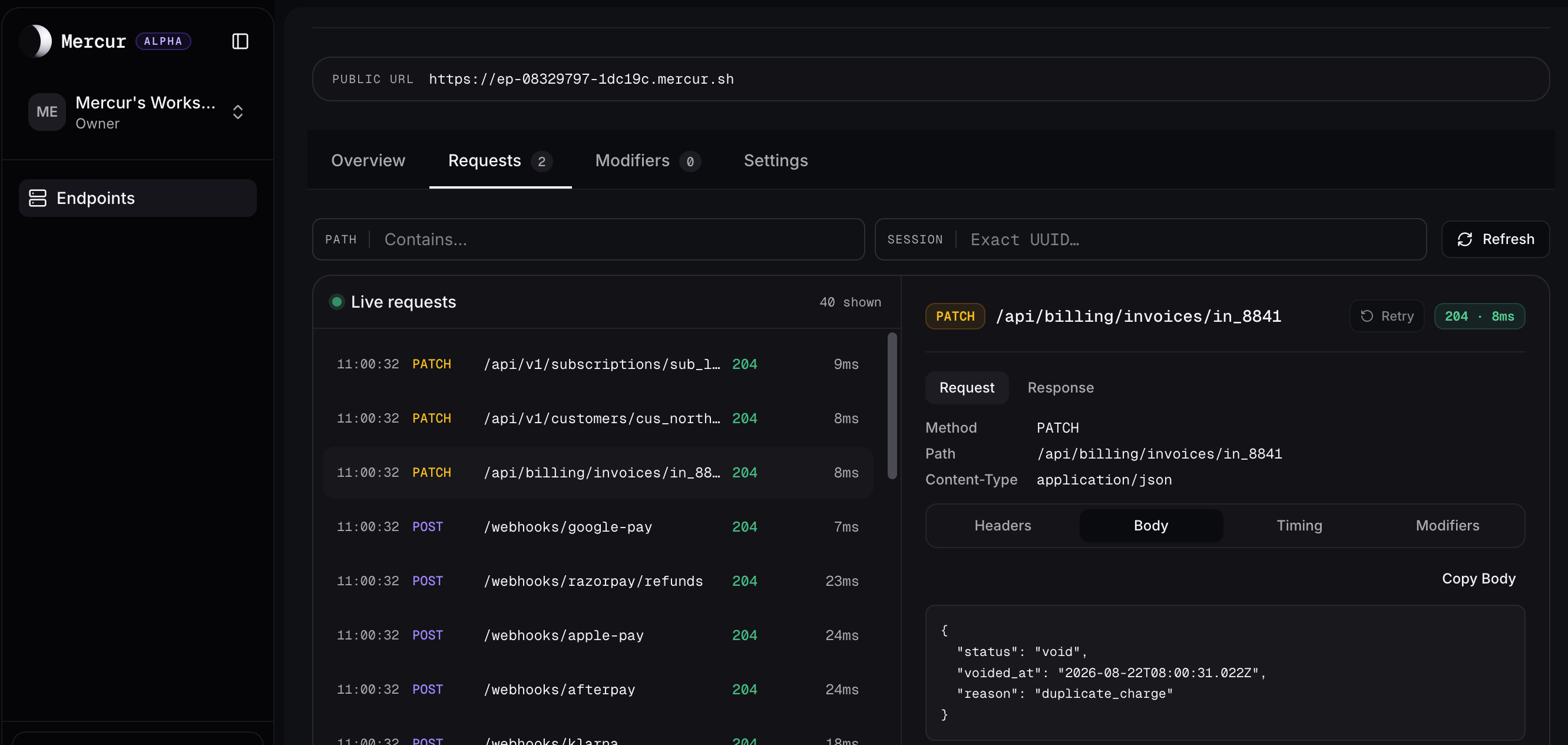
Method, path, headers, body preview and timing for every request that lands. Take one endpoint offline and bring it back without restarting the agent. Rewrite requests in flight, and replay a stored HTTP request after you fix a handler.
Mark an endpoint private and allow only the IP addresses or CIDR ranges you name. Agent tokens rotate from settings.
$ mercur list
$ mercur start ep-webhooks
Forwarding https://webhooks.mercur.sh → localhost:3000
Request log: on — inspect in the console
Restrict access with an IP allowlist when the endpoint is not public.
192.0.2.0/24198.51.100.10Authenticate the mercur CLI. Revoking a token stops tunnels started with it.
Desktop app on macOS, or the npm CLI on macOS, Linux, and Windows. Guest sessions work without an account.
npm install -g @mercur_dev/clinpm install -g @mercur_dev/cliOne agent handles tunnels. Remote MCP lets agents inspect request history in your IDE.
Paste a Mercur URL into a provider's webhook settings and watch the payload arrive on your laptop, with headers and body preview, instead of guessing from a 500 in someone else's dashboard.
Agent · HTTP · localhost:3000
Create a workspace API key, paste the MCP config into your client, and ask an agent to list recent requests or pull a failed webhook’s headers and body from Mercur history.
Remote MCP · /api/mcp · Bearer key
Expose a local socket server to a staging client or a teammate's browser, and see message counts per endpoint while it runs.
Agent · WebSocket · localhost:8080
Give one port of access to a local Postgres or Redis. Restrict it to known IP ranges, and stop the endpoint when you are done.
Agent · TCP · localhost:5432
Including the limits, and the ones where the answer is no.
HTTP, WebSocket and TCP. HTTP and WebSocket endpoints get a subdomain; TCP gets a dedicated relay port. The free plan covers HTTP; WebSocket and TCP are part of the paid plans.
Yes. The webhook tester at /webhook-tester provisions a temporary public URL immediately, with no account and no card: 1,000 requests per month, 50 stored requests, and a 24-hour TTL. Register to unlock Endpoints. Walkthroughs live under /blog.
After registering: one HTTP endpoint of your own, 10,000 requests per month, 100 stored requests, 5 request rewrites and 8 concurrent sessions. Each of those is enforced in code, and when a monthly limit is reached the relay answers 429 rather than dropping traffic quietly.
Yes. Open /pricing to compare Free, Solo, and Team with country-localized Paddle prices. Checkout happens in the console under Settings → Plan & usage (sign in first). Solo includes a one-time 7-day trial with a card on file; the free plan stays available without paying.
Remote MCP lets an MCP client (Cursor, Claude Desktop, and others) inspect HTTP request history for this workspace’s tunnels via /api/mcp and a Bearer API key. Included with Solo and Team — Free shows an upgrade path in Workspace Settings → API keys. Setup: /mcp and the MCP guide under /blog.
The macOS desktop app runs the agent for all three protocols, as a DMG for Apple Silicon and Intel. The npm CLI (@mercur_dev/cli) does the same on macOS, Linux, and Windows with Node.js 20+. The browser console can receive HTTP traffic in Logging mode without installing anything.
Console routes require an authenticated session, the agent authenticates with a token you can rotate, and any endpoint can be marked private with an IP or CIDR allow list.
On Mercur infrastructure, not on your machine, for 30 days. Bodies are truncated to a 256 KB preview and headers to 32 KB. An endpoint only records logs in Logging mode, or in Tunneling when full traffic capture is enabled.
The endpoint stops serving within about 15 seconds and returns 503 until the agent reconnects. Requests that arrive during that window are not queued or replayed.
Yes. In the console request history, Retry re-sends a stored HTTP request through the endpoint so you can re-test after fixing a handler. The endpoint must be in proxy mode with the agent connected. Replay respects plan retention and stored-request limits; payloads omitted for size cannot be replayed.
Open the webhook tester for a temporary public URL without an account. Registering unlocks Endpoints on the free plan.